Group Manage
The Group Manage page lists all sample groups created by the current user via Batch Search → Group Work. Each group is a set of samples that have undergone retention-time alignment. The page shows the group's sample count, reference sample, polarity, total aligned peaks, and match hits, and supports viewing group samples, the peak list and match results, and re-matching.
1. Group List
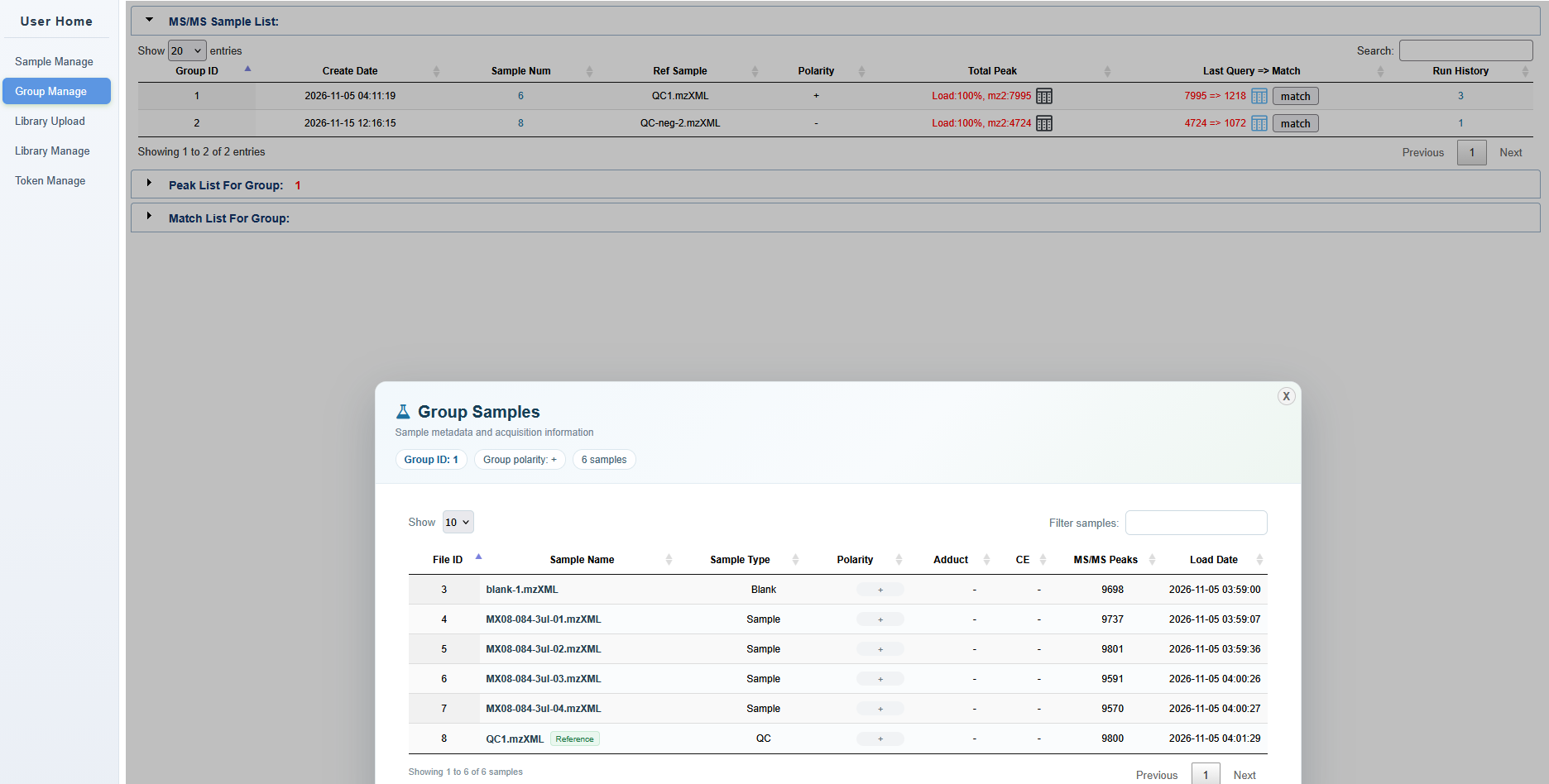
Columns of the group list:
| Column | Description |
|---|---|
| Group ID | Group identifier |
| Create Date | Group creation date |
| Sample Num | Number of samples in the group; click to view group sample details |
| Ref Sample | Reference sample selected for RT alignment |
| Polarity | Group polarity (all samples in a group must share the same polarity) |
| Total Peak | Total aligned peaks in the form Load:100%, mz2:7995; click the icon to view the group peak list |
| Last Query => Match | Query peaks => matched hits (e.g. 7995 => 1218); click the icon to view results, click match to re-run |
| Run History | Number of matching runs; click to view each run's record |
2. Group Samples
Click the number in the Sample Num column to open the Group Samples window, which shows the group's metadata and sample list. The header labels the Group ID, Group polarity, and sample count; the table below lists each sample's File ID, Sample Name, Sample Type, Polarity, Adduct, CE, MS/MS Peaks, and Load Date. The reference sample is marked Reference.
3. Peak List For Group
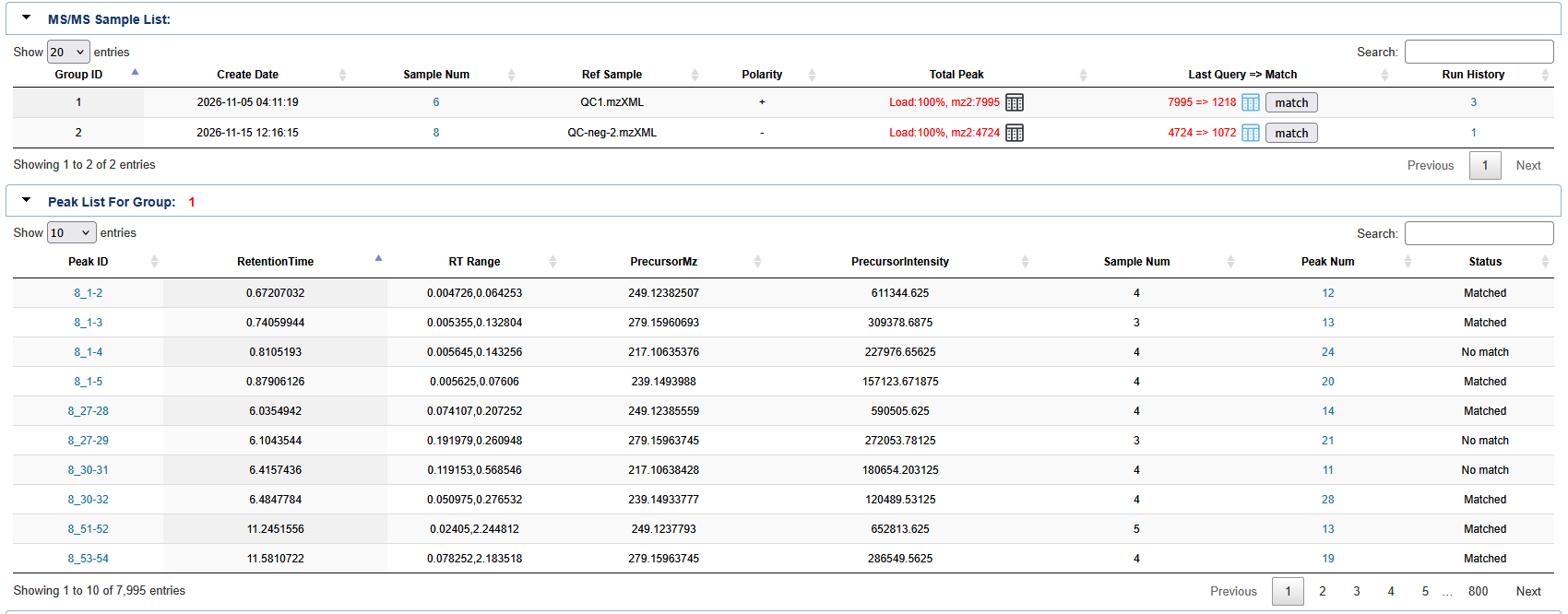
Click the icon in the Total Peak column to expand Peak List For Group below, listing all aligned peaks with Peak ID, RetentionTime, RT Range, PrecursorMz, PrecursorIntensity, Sample Num (number of samples the peak appears in), Peak Num, and Status (Matched / No match).
4. Match List For Group
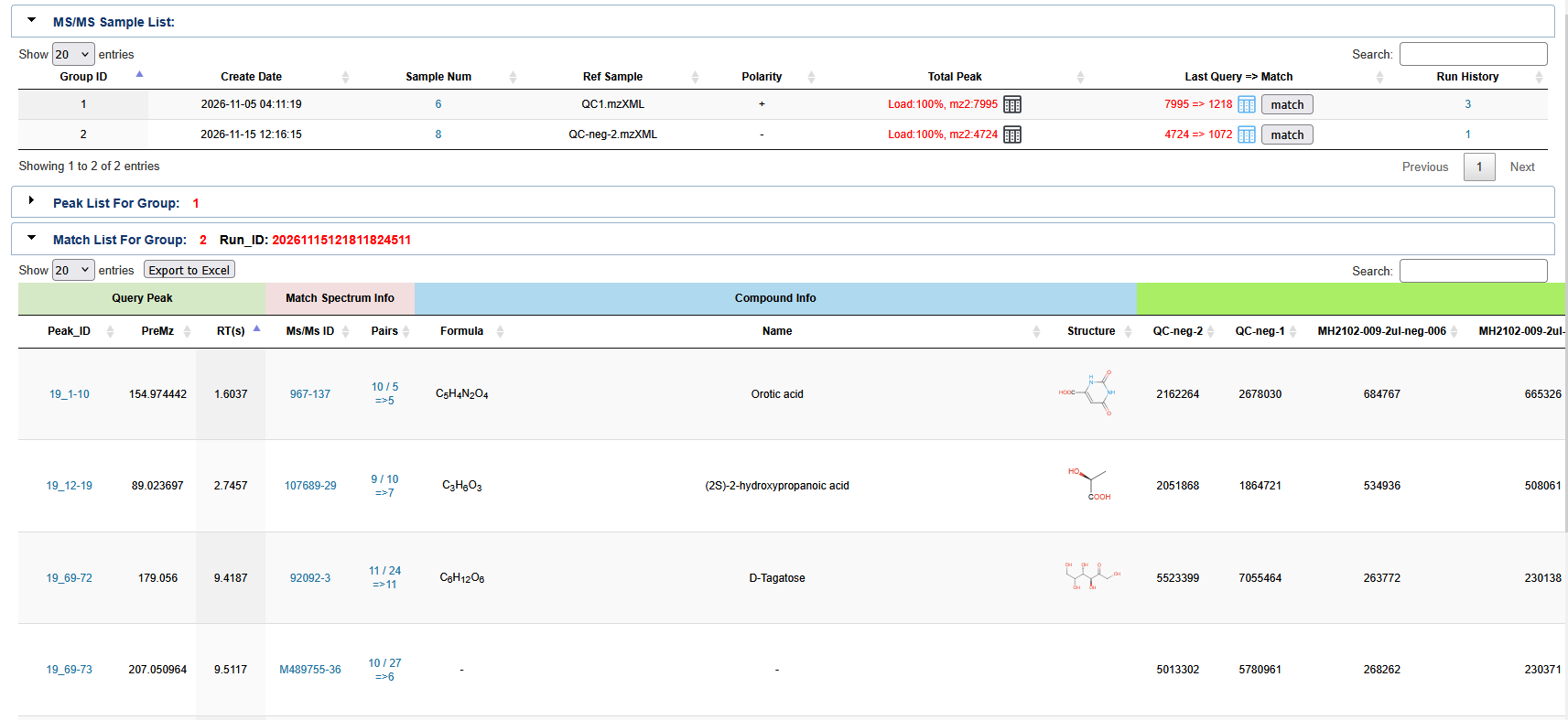
Click the icon in the Last Query => Match column to expand Match List For Group below, showing the group's compound matching results. Each row is one aligned peak with Peak_ID, PreMz, RT(s), Ms/Ms ID, Pairs, Formula, Name, Structure, and one intensity column per sample for cross-sample comparison. Supports Export to Excel.
5. Re-match
See also: Group Work (group creation & alignment) · Sample Manage · Library Manage