Group Work
Group Work first performs retention-time alignment across multiple samples and then matches them together, producing a cross-sample peak intensity table for group comparison. It has 5 steps; in Step 4 ("Edit Sample Name and Select Reference Sample") the system enforces that all samples share the same polarity — the most critical difference from Single Work.
1. Select Pipeline and Upload Samples
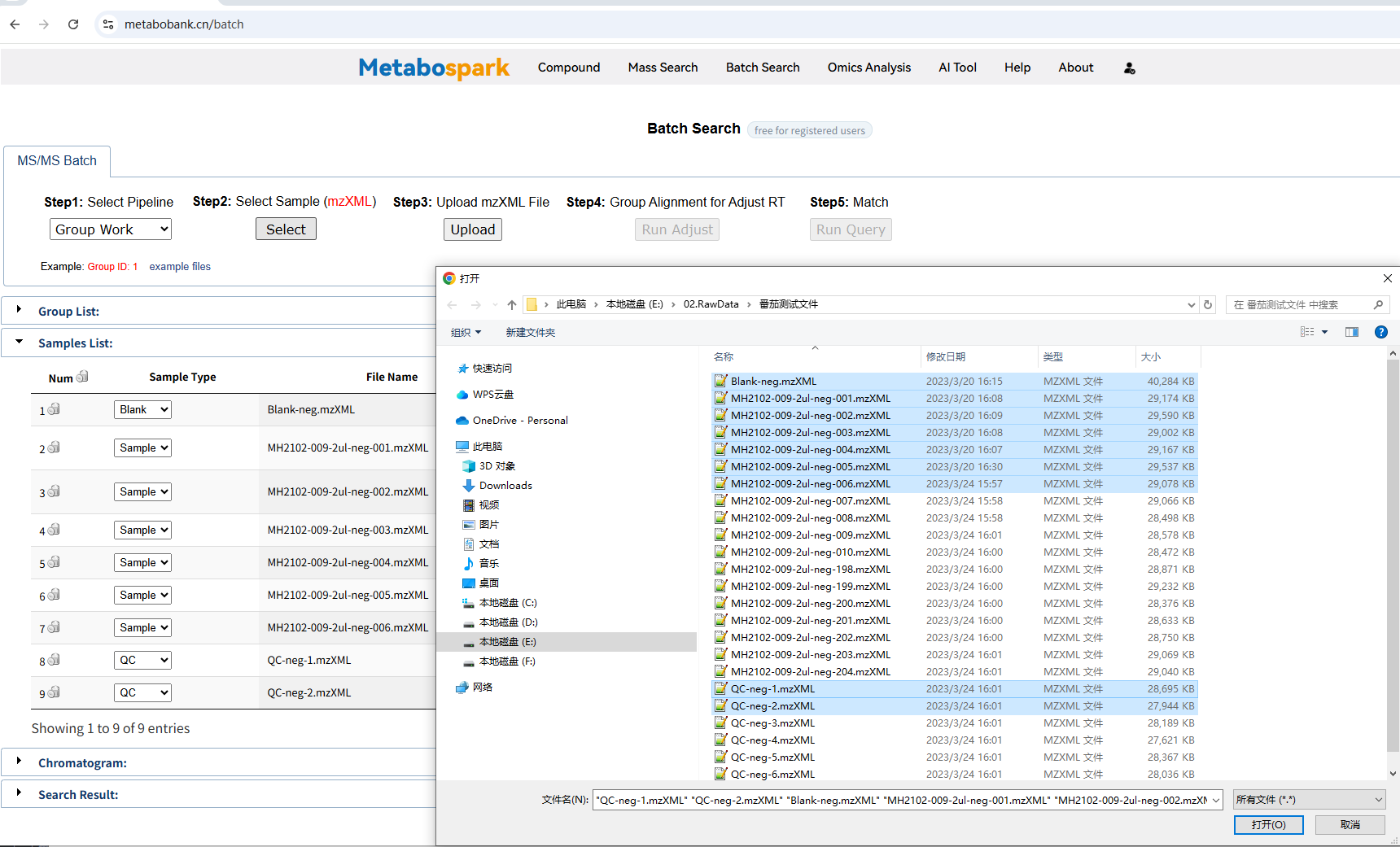
Choose Group Work in Step1, then click Select in Step2 to pick multiple mzXML files. In this example 9 files are chosen: Blank-neg.mzXML, MH2102-009-2ul-neg-001~006.mzXML, QC-neg-1.mzXML, QC-neg-2.mzXML.
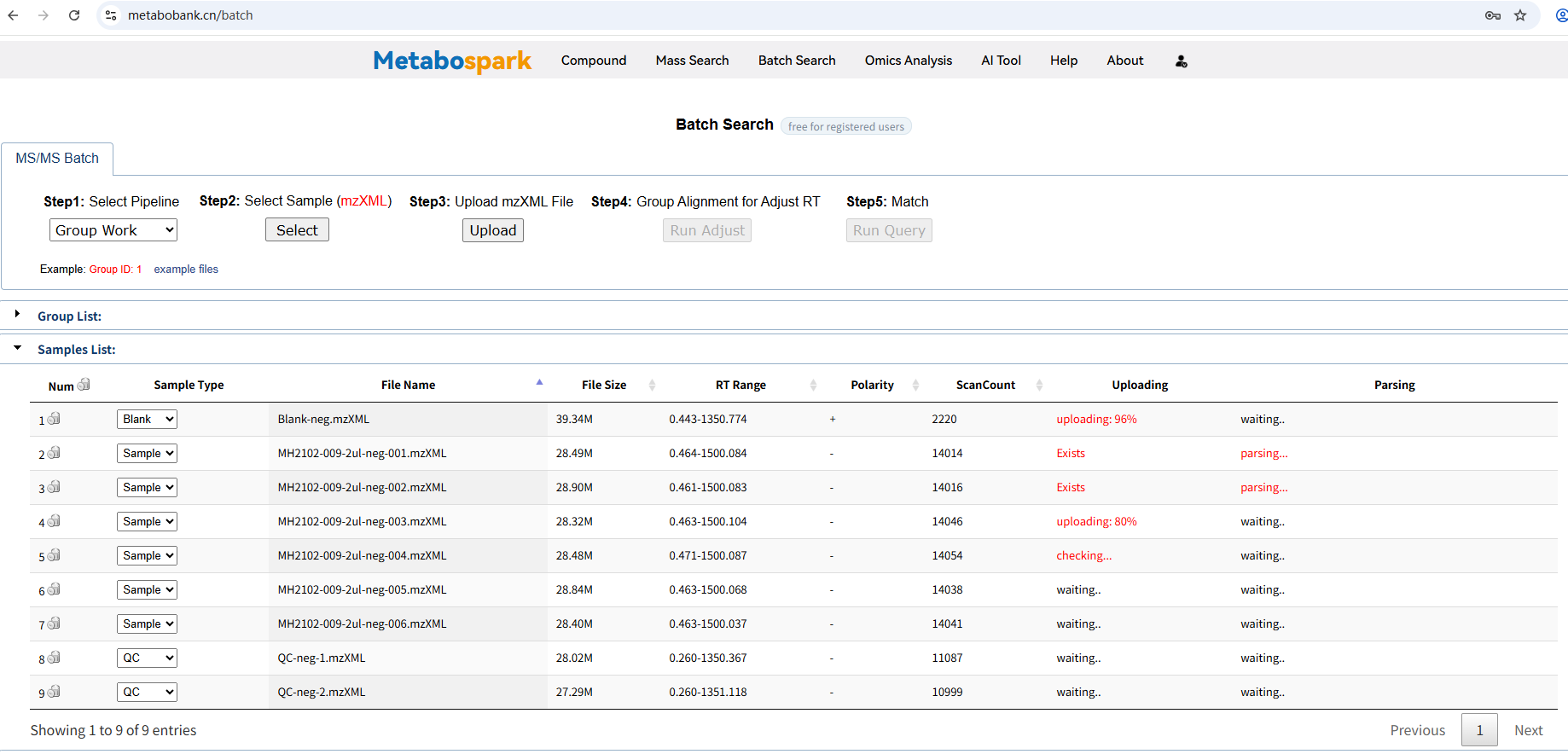
Click Upload in Step3; upload and parsing progress is shown in real time in the Samples List. Notice the polarity column of the 9 samples: Blank-neg.mzXML has polarity "+" while the other 8 have "-".
2. Step 4: RT Alignment and Polarity Check (Critical)
After all samples are uploaded, click Run Adjust in Step4. The "Edit Sample Name and Select Reference Sample" dialog opens, listing each sample's Sample Type, File Name, Sample Name, Peak Num, Polarity, msInstrument, and a radio button to choose the Reference Sample for RT correction.
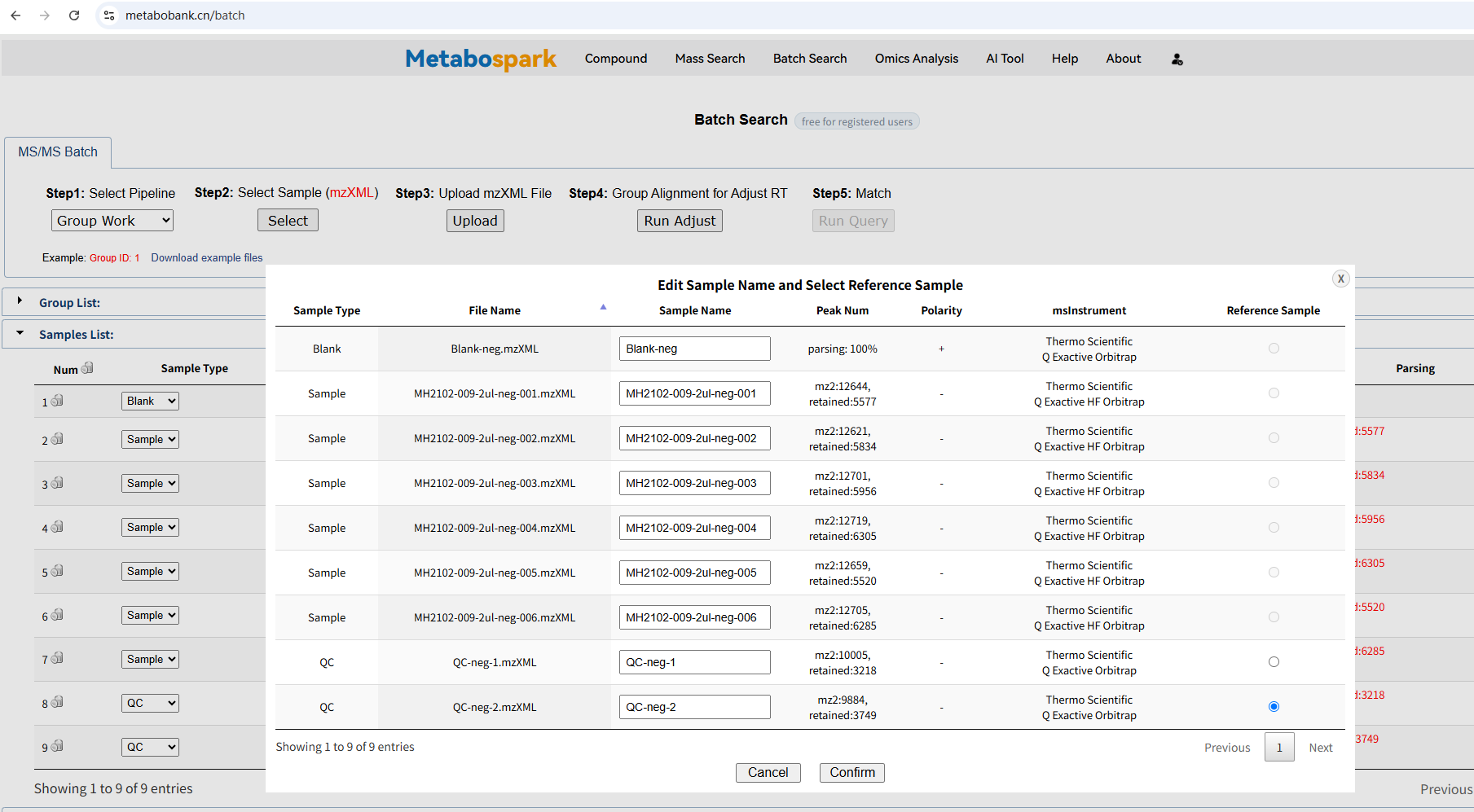
return false), so alignment cannot proceed. The underlying logic is:if(Object.keys(pol_dis).length > 1){ alert("The polarity of the samples were different!"); return false; }Additionally, if polarity cannot be read from a file's header, it alerts "Sample polarity could not be read from the file header, please check the uploaded file."
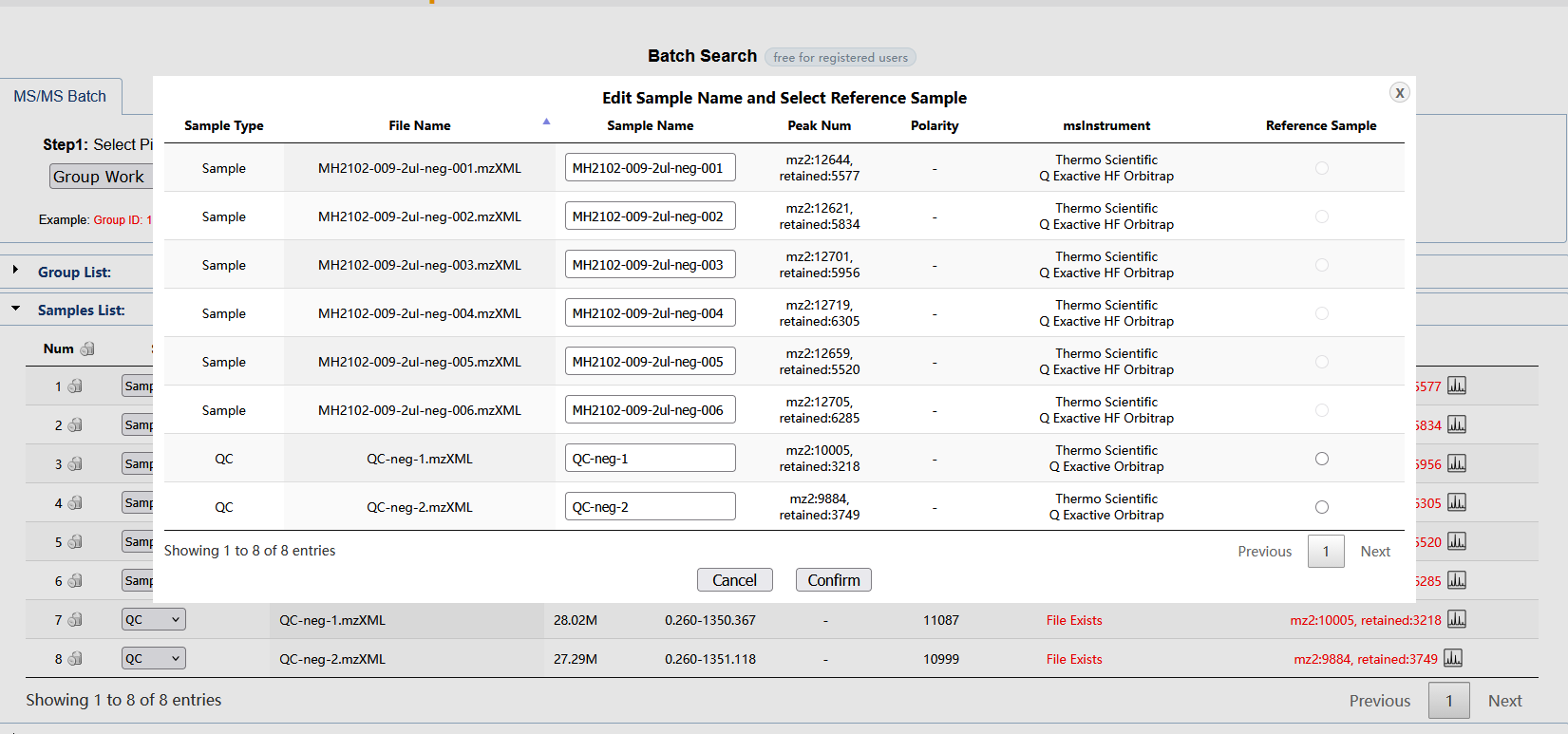
In this example Blank-neg.mzXML has polarity "+" and the rest have "-", so the system blocks the flow. The user must remove Blank-neg.mzXML from the group so that all remaining samples share polarity "-". After removal the dialog shows only 8 samples; select QC-neg-2 as the reference sample (radio button selected) and click Confirm.
3. Group List and Sample Overlap
After alignment, the Group List shows the group summary: Group ID, Sample Num, QC Num, Blank Num, Sample Overlap, Ms2 Peak Num, Matching. In the example Sample Num=6, QC Num=2, Blank Num=0 (Blank-neg was removed), Ms2 Peak Num=mz:4724.
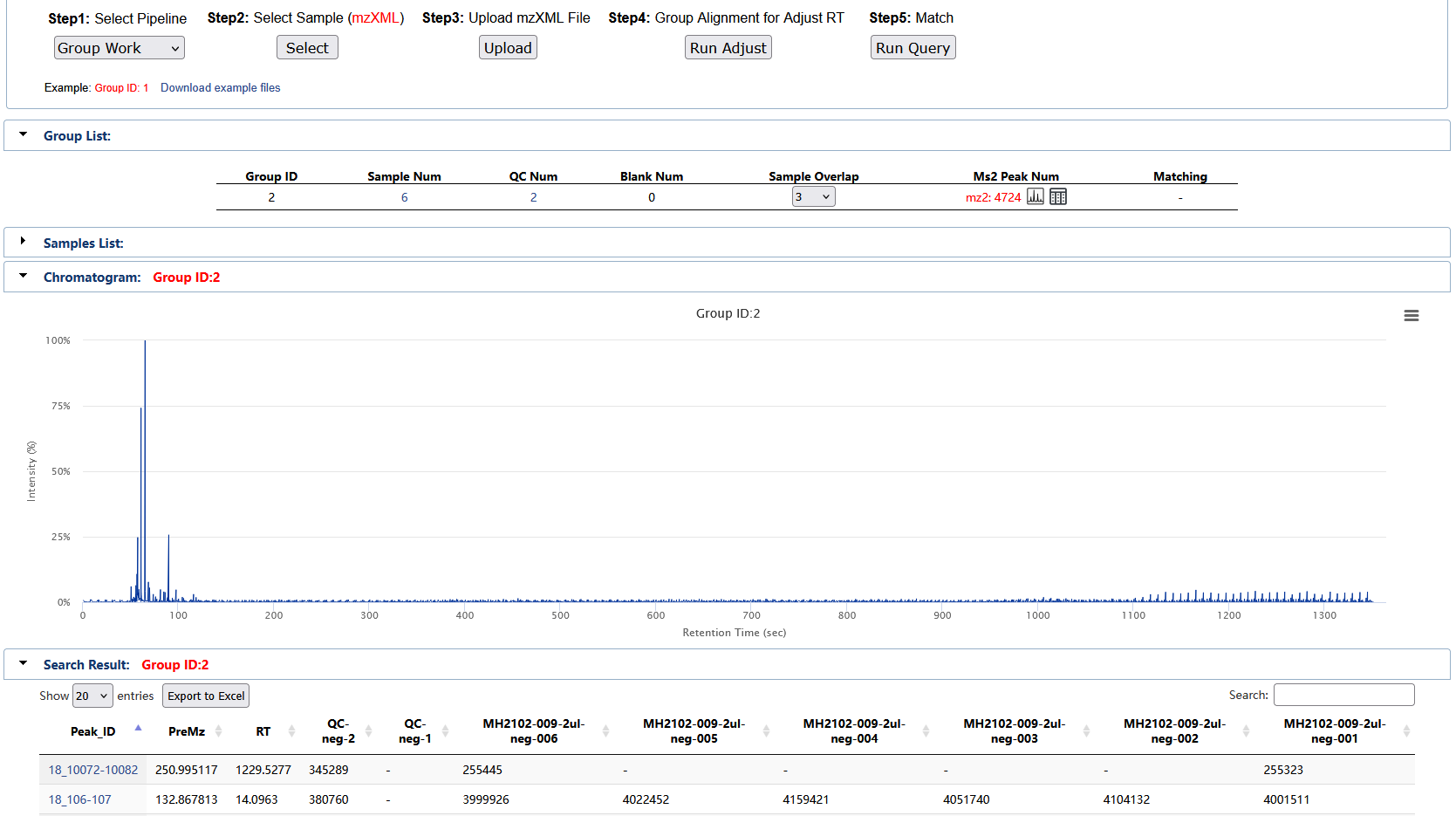
The Sample Overlap dropdown (3–8) controls the minimum number of samples a peak must appear in to be retained. A larger value keeps more conservative (shared) peaks; a smaller value keeps more peaks. After changing it, Ms2 Peak Num and Matching are recomputed.
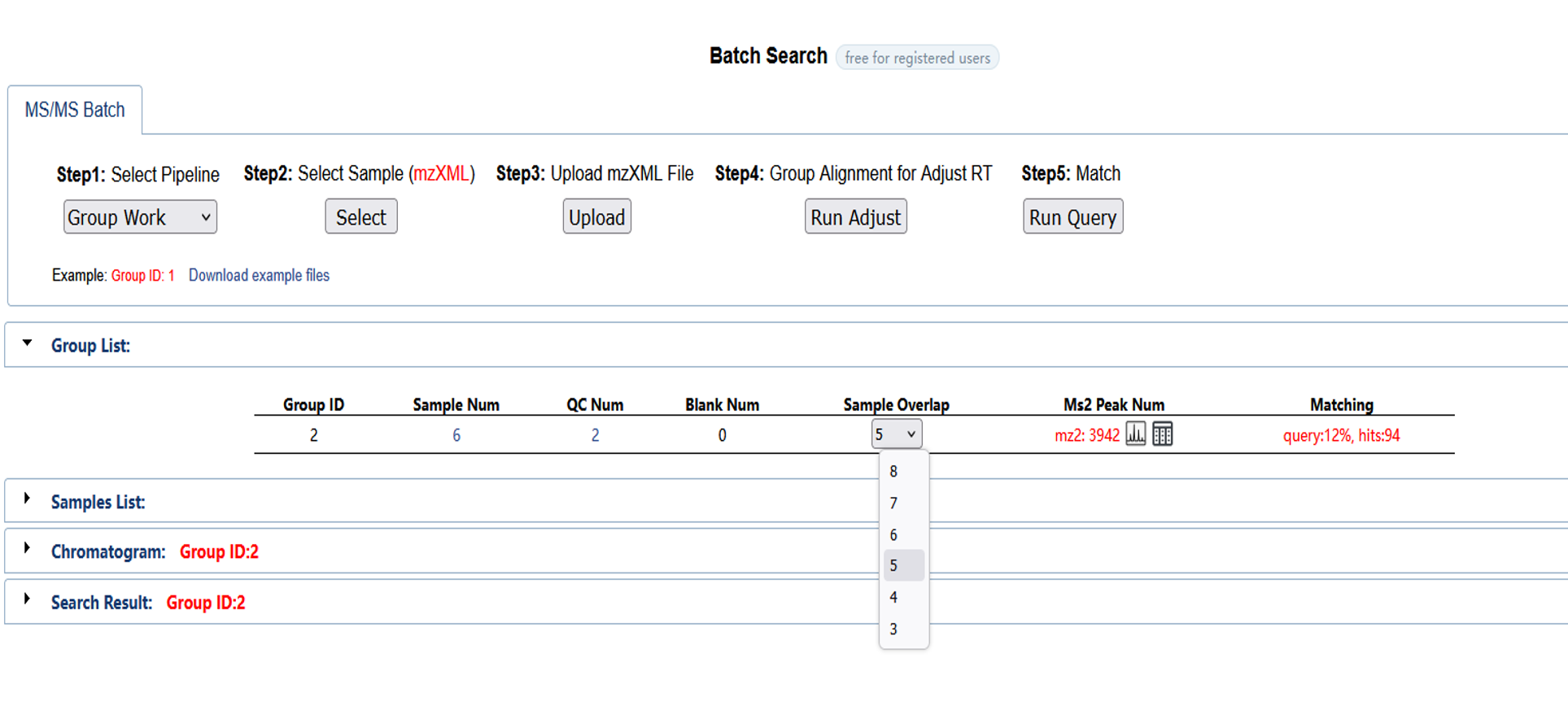
| Group List field | Description |
|---|---|
| Group ID | Group identifier |
| Sample Num | Total number of samples in the group |
| QC Num | Number of samples typed as QC |
| Blank Num | Number of samples typed as Blank (0 here because Blank-neg was removed) |
| Sample Overlap | Minimum samples a peak must appear in to be retained (3–8) |
| Ms2 Peak Num | Number of MS2 peaks retained after alignment (format mz:NNNN) |
| Matching | Matching progress, format query:percentage%, hits:count |
4. Group Chromatogram and Match Results
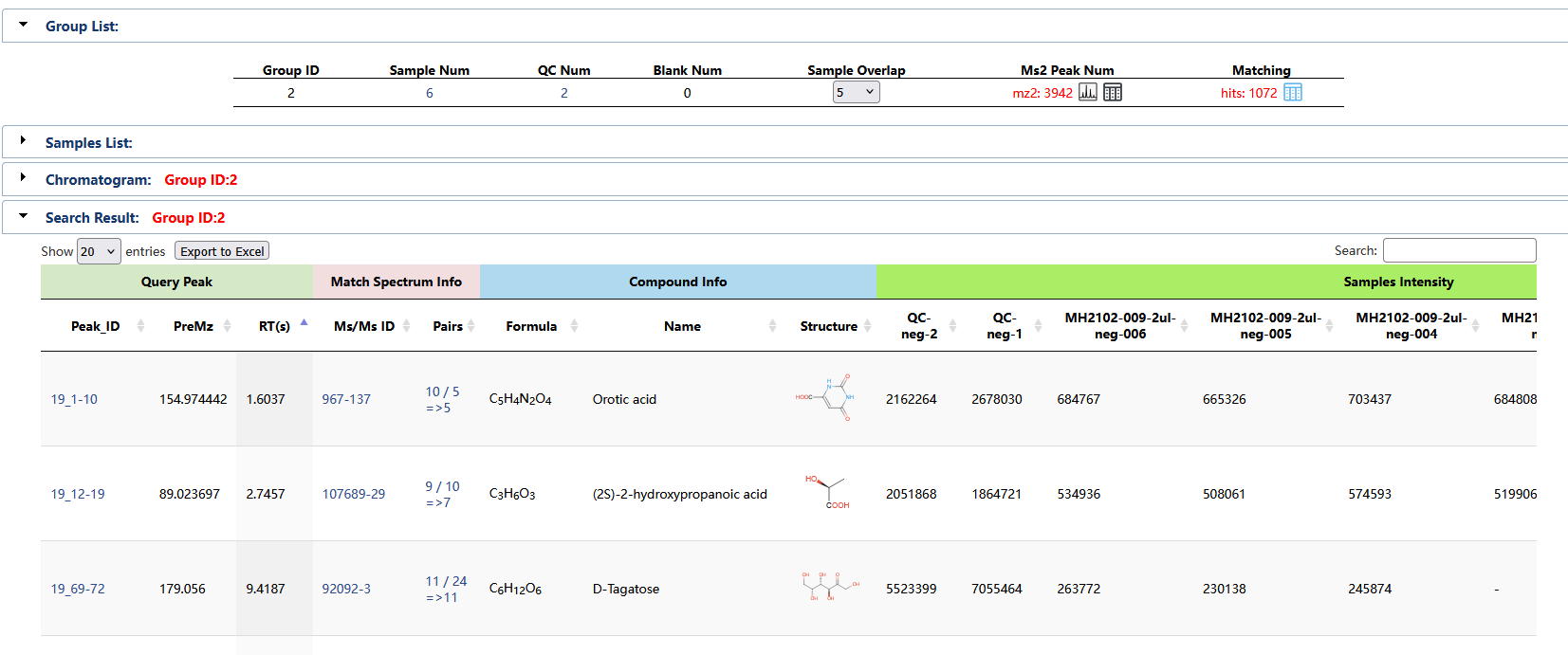
The Chromatogram panel shows the overlaid chromatograms of all samples (labeled by Group ID). Click Run Query in Step5 to start matching; the Search Result then shows the aligned cross-sample peak table: one row per aligned peak, with columns Peak_ID, PreMz, RT, Ms/Mz ID, Pairs, Formula, Name, Structure, and one intensity column per sample.
5. Spectrum Comparison
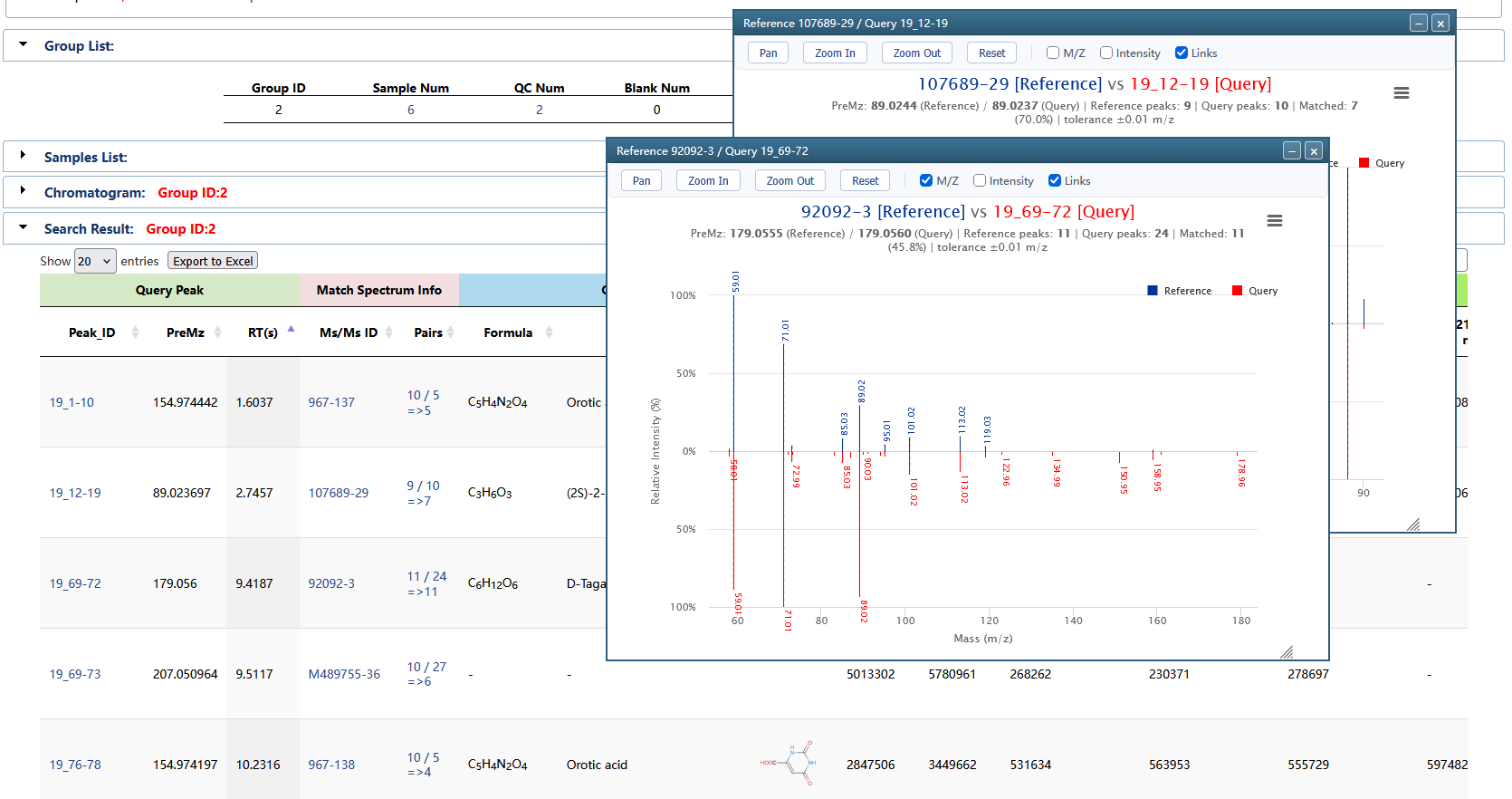
As in Single Work, clicking a link in the result opens a spectrum comparison window — the reference spectrum (blue) on top, the query spectrum (red) below, with PreMz, peak counts, matched count and tolerance ±0.01 m/z.
6. Summary
1. Upload multiple samples → 2. Before Run Adjust, all samples must share the same polarity (otherwise an alert blocks the flow and the mismatched sample must be removed) → 3. Select a reference sample → 4. Confirm to run retention-time alignment → 5. Adjust Sample Overlap → 6. Run Query to match → 7. View the cross-sample peak intensity table.
Polarity consistency is a hard prerequisite of Group Work — the most fundamental difference from Single Work.
See also: Batch Search (main page) · Single Work · Omics Analysis